
Beats
AppleTools
3.96.15K Reviews
- Version
- 2.12
- Installs
- 10.00M
- Age Rating
- Everyone
Screenshots
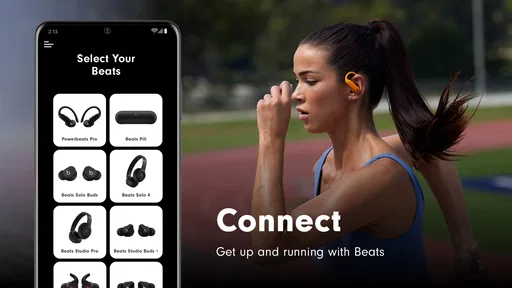
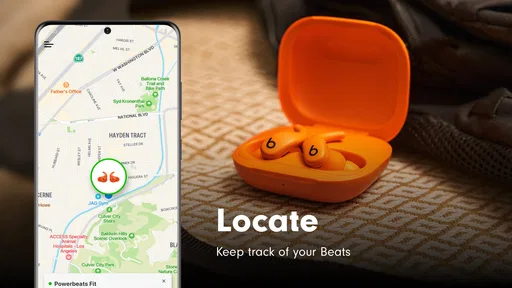
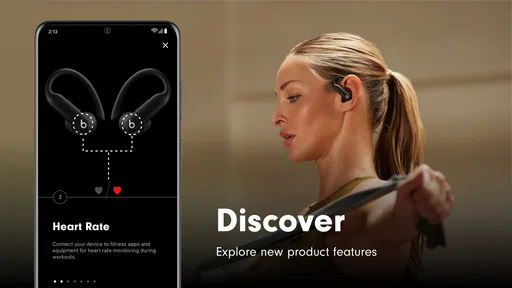
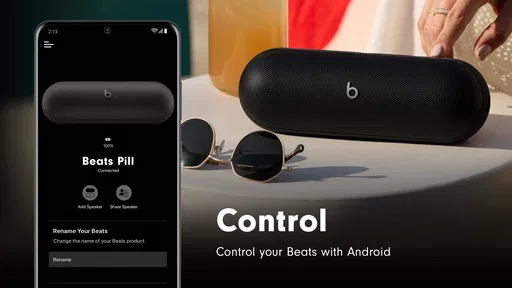
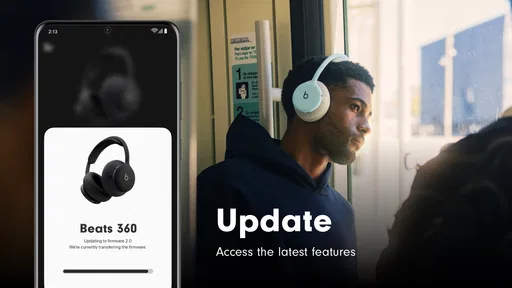
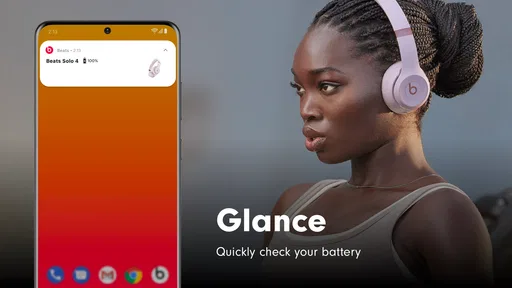
Our Review of Beats
 Analysis by Appyee
I’d approach Beats less like a place to discover an endless stream of songs and more like a companion for compatible Beats audio gear. That distinction matters: the name can sound like a music service, but this is a free tools app from Apple, intended to enhance the Beats experience. I wouldn’t install it expecting a streaming library, personalized radio, or social playlist network; those are different jobs, usually handled by music-streaming apps.
What makes me cautious is the gap between a short promise and the questions that matter when an app interacts with audio equipment. Before relying on it, I’d look at the actual screens and choices available on my own device, then decide whether they are useful enough to keep the app. I don’t treat a familiar developer name as a substitute for checking the controls in front of me.
Trust begins with what you can see
Apple is the developer, and the app has an average rating of 3.8 from around 24,000 ratings, alongside roughly 5,700 written reviews. Those figures give a sense of how widely people have responded, but they don’t tell me whether a particular control, device, or workflow will suit me. I’d use reviews as context, not as proof of privacy practices or a guarantee of a smooth setup.
My practical rule for any companion app is simple: judge it by the choices it visibly offers, not by assumptions about what it might collect or how it behaves behind the scenes. If a screen asks me to make a decision, I want to understand what that choice changes before I proceed. If I can’t tell, I pause rather than tapping through just to finish setup.
Check the controls before building a routine around them
For a tool connected to headphones or speakers, the useful test is whether it gives you a clear way to manage the experience you actually want. I’d open the app while the relevant Beats product is nearby, explore the available screens, and note which options are plainly presented. That quick check is more valuable than assuming every Beats model exposes the same controls or that every menu applies to every listening situation.
I’d also separate device setup from account decisions. If a step asks me to sign in or connect something, I consider whether that connection is necessary for what I came to do. A companion app should fit the task, not persuade me to make broader choices by default. What matters is the control I can see and use on my own screen, rather than a feature I’ve heard might exist elsewhere.
Be thoughtful at data-sensitive moments
Pairing audio gear, granting system access, and signing into an account are moments when I slow down. I read the wording on each prompt and allow only what makes sense for the function I’m trying to use. A permission request is not automatically a problem, but it should have a clear purpose from my point of view. If the app or the operating system lets me revisit a choice later, I’d rather make a limited decision now and adjust only if I hit a real need.
This is especially useful if you share a phone, borrow headphones, or set up a device for someone else. I’d keep the person who owns the phone involved in account and permission choices, and I wouldn’t treat a quick setup as consent to every optional connection. The app is rated for Everyone, but that age designation doesn’t replace a parent’s or user’s own judgement about accounts, device access, and everyday use.
Getting Started with Beats
Diving into Beats is a breeze. Once you’ve downloaded it, the setup process is as easy as pie. The interface is sleek and super intuitive, so even if you're not a tech whiz, you’ll feel right at home. The app offers a brief tutorial for newbies, but honestly, it’s so user-friendly you might not even need it.
Features That Hit the Right Note
Now, let’s talk features because this is where Beats shines. First up, the personalized playlists. The app uses some smart algorithms to learn your taste in music and curates playlists that feel like they’re reading your mind. It’s like having a personal DJ who just gets you.
Another cool feature is the "Discover Weekly" section. Every week, you get a fresh batch of tracks that are just waiting to become your new favorites. It’s a fantastic way to keep your music library evolving without lifting a finger.
And oh, the social integration is top-notch. You can connect with friends, see what they’re vibing to, and even share playlists. It’s a fun way to keep the music conversation going and maybe even snag some new tunes from your buddies.
Performance and Experience
Performance-wise, Beats is smooth sailing. The streaming quality? Crystal clear. You can choose different quality settings depending on your internet connection, which is a lifesaver if you’re on the go. Plus, the app seamlessly integrates with various devices, so whether you’re using your phone, tablet, or even smart speakers, you’re covered.
I’ve also noticed the app has minimal buffering issues, which is a big win in my book. Nothing kills the vibe faster than music dropping out mid-song, and thankfully, that’s not something you need to worry about here.
But I’d be careful about treating those music-service impressions as a reason to install this particular app. In practice, I’d first ask what I want to do: manage or explore a Beats product, or find and play music. For the first, a dedicated companion tool can be more convenient than digging through general audio settings; for the second, a streaming service is the more direct choice. Keeping those jobs separate prevents disappointment and makes it easier to tell whether this app earns a place on your phone.
Where it fits into an ordinary day
Imagine getting ready to leave, putting on your Beats headphones, and realizing you haven’t checked how they are set up. I’d open the app at home, with a few quiet minutes to spare, and look for the relevant device options before heading out. That is a better time to test a setting than during a commute, when interruptions or unfamiliar menus are annoying. Once I know where the useful controls are, I can leave the phone in my pocket and listen without turning every trip into a troubleshooting session.
A second useful habit is to revisit the app only when there’s a reason: a new device, a change in how you use your headphones, or a setting you want to review. I wouldn’t keep opening it just because it exists. This approach is particularly sensible if you prefer fewer background apps or don’t want setup decisions to become part of every listening session.
What to expect from a companion tool
Beats has over 10 million installs, and it’s free, so trying it does not require a purchase. Still, “free” doesn’t answer whether it is worthwhile for your situation. If you own compatible Beats gear and want a place to inspect the options presented for it, the app is the natural starting point. If you only need to play music through ordinary phone controls, installing another tool may add little to your routine.
The current version is 2.11, and the app was released on October 29, 2015. I’d treat version details as useful context, not as a promise that every phone or accessory behaves identically. A sensible first check is to open the app and see whether your particular setup is recognized and whether the available controls match what you hoped to adjust. If they don’t, the phone’s own Bluetooth and audio settings may be enough for basic connection tasks.
That distinction also helps when comparing alternatives. General Bluetooth settings are usually the simpler route for basic pairing, while music apps are built around choosing tracks and maintaining a listening library. A manufacturer’s companion app is most useful when you want device-specific setup or controls presented in one place. None is automatically better for every listener; the right choice depends on whether your friction is with the hardware, the phone connection, or the music itself.
Who should try it, and who may not need it
I’d recommend giving it a look if you own Beats audio equipment and prefer to check its available options through a dedicated app rather than relying entirely on system menus. It may also suit someone setting up a device for the first time who wants to inspect the controls in a focused place. The key is to judge the app by the options that appear for your own gear, rather than expecting a universal set of features.
I’d skip it if you don’t use Beats products, or if your only goal is to discover songs, make playlists, or share listening with friends. Those expectations belong to music services, and installing a device companion won’t replace them. I’d also avoid making it part of a routine if you have already set up your gear and have no reason to revisit its controls; an app is useful when it solves a problem, not simply because it carries a familiar brand.
Keeping control of your choices
For me, good user agency means being able to make a choice deliberately and change course when appropriate. I’d review the app’s visible settings and the phone’s permission controls after setup, especially if I use a shared device or later lend my headphones. If I no longer need a connection, I’d look for the relevant option in the app or the operating system rather than assuming it will disappear on its own.
It’s also worth keeping account choices distinct from device use. If an account step appears, I’d ask whether it helps with the specific task at hand and decide accordingly. That doesn’t require suspicion; it’s just a practical way to avoid agreeing to something without understanding why. The strongest experience is one where I know what I changed, what I left alone, and where to look if I want to undo it.
Final Thoughts
All in all, if you’re a music lover looking for an app that not only plays your favorite tracks but also introduces you to new ones, Beats is worth checking out. Its sleek design, smart playlists, and excellent social features make it a standout choice in the crowded music app market.
So, what are you waiting for? Give it a spin and let me know what you think. Happy listening!
My cautious verdict
I’d approach Beats as a focused companion for people who use Beats gear, not as an all-purpose music destination. Its reach is substantial, but popularity alone can’t settle whether it suits your device, your habits, or your comfort with the choices shown during setup. I’d install it only when I have a concrete device-related reason, take a minute to inspect the available controls, and keep any account or permission decisions tied to that reason.
That makes my recommendation fairly specific: if the app exposes a useful control for your own headphones or speaker, it can be a convenient addition; if you’re looking for music discovery, playback, or social listening, choose an app built for those needs instead. I value the straightforward option of checking the tool for myself, but I wouldn’t recommend it on the strength of promises that aren’t visible in my own use. That measured approach is the best way to decide whether it belongs on your phone.
Privacy and Permissions
See what permissions an app requests and how it handles your data.
- Location
- approximate location (network-based), precise location (GPS and network-based)
- Wi-Fi connection information
- view Wi-Fi connections
- Other
- view network connections, pair with Bluetooth devices, access Bluetooth settings, full network access, change your audio settings, run at startup, control vibration, prevent device from sleeping
Verdict
Strengths of Beats
- Intuitive interface for easy navigation.
- High-quality audio output.
- Wide range of playlists and genres.
- Seamless integration with other apps.
- Personalized recommendations.
Limitations of Beats
- Requires a subscription for full access.
- Limited offline features.
- Occasional app crashes.
- Heavy on battery usage.
- Ads in the free version.
Other Releases by Apple
View All
iTunes
Video Players & Editors4.7

Apple TV: Shows, Movies & More
Entertainment4.1

Apple Music
Music & Audio4.5

Move to iOS
Tools3.6
Similar Picks in This Category
View All
Google LLC4.0

Gboard - the Google Keyboard
Google LLC4.5

Google Play services
Google LLC4.3

Google Play Store
Google LLC4.9

Files by Google
Google LLC4.5

SHAREit: Transfer, Share Files
Smart Media4U Technology Pte.Ltd.4.3
Frequently Asked Questions
What is Beats, and what can it do for me?
Beats is a powerful music creation app designed for both beginners and professional musicians. It offers a wide range of features, including beat-making tools, sound editing, and a vast library of samples. Users can create, edit, and share their music effortlessly, making it an ideal tool for anyone interested in music production.
Is Beats compatible with both Android and iOS devices?
Yes, Beats is available on both Android and iOS platforms. It is designed to work seamlessly across various devices, ensuring a consistent and smooth user experience. Whether you're using a smartphone or a tablet, you can enjoy all the features and benefits that Beats has to offer.
Does Beats require an internet connection to function?
Beats does not require a constant internet connection to function. However, some features, such as downloading additional samples or sharing your creations online, will need internet access. The core functionality of the app, including beat-making and editing, can be used offline, making it convenient for on-the-go music production.
Are there any in-app purchases or subscription fees in Beats?
Beats offers a free version with basic features, but for a more comprehensive experience, users can opt for in-app purchases or a subscription. These purchases can unlock advanced tools, additional sound packs, and other premium features. This allows users to customize their experience based on their needs and budget.
How user-friendly is Beats for beginners?
Beats is designed with both beginners and experienced musicians in mind. It features an intuitive interface with easy-to-use tools and tutorials to guide new users through the music creation process. Whether you’re just starting or looking to hone your skills, Beats provides a supportive environment to explore your creativity.
